

If you’re looking for solutions on how to recover your MARINA MISMO account, you’ve come to the right place!
I had a friend who forgot his whole account information while on board. He was planning to re-validate his Certificates of Proficiency (COPs) and decided to prepare the requirements early.
He lost his email address. Passwords and even his Seafarer’s Registration Number were totally forgotten. All he knew was that he paid those guys in the MARINA building for creating his MISMO profile.
It would have been easier if he remembered his own Gmail account but that too was lost. Here, I’m going to show you how you can recover all of your MISMO accounts using very simple ways.
Requirements
You only need three things to get this done.
- A smartphone with a camera.
- Another active email account.
- Your Seaman’s Book (SIRB).
You can use another person’s email account (wife, girlfriend, friend) or create a new one as long as they’re active.
Steps for Recovering Your MISMO Profile
There’s a “Forgot Password” option on their website but it’s not very helpful when I tested it.
MARINA anticipated this situation so they made the retrieval of a seafarer’s MISMO information easy.
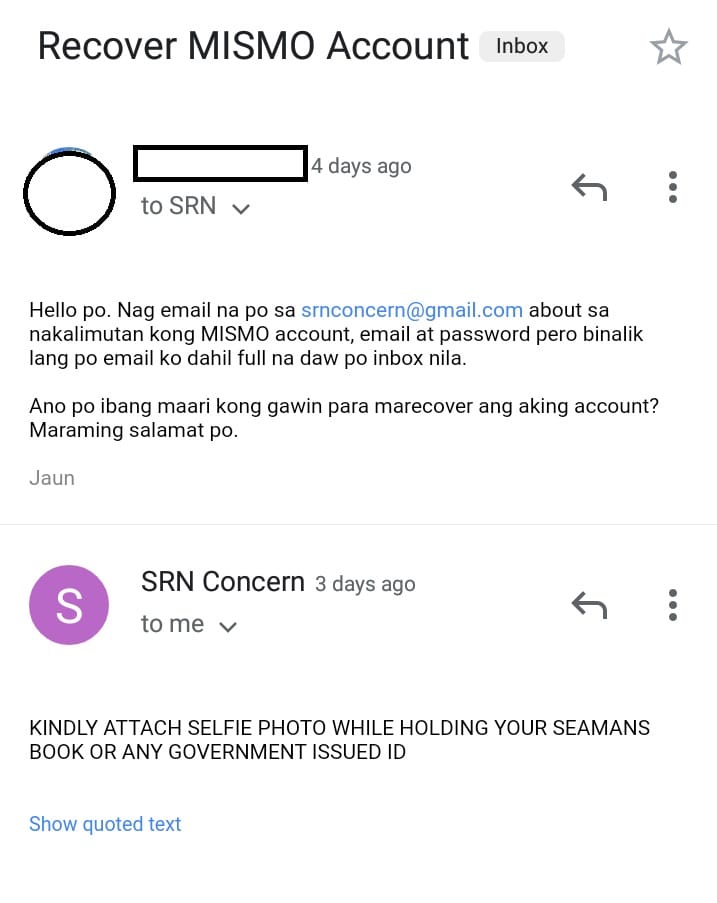
1. Create an email message to MARINA.
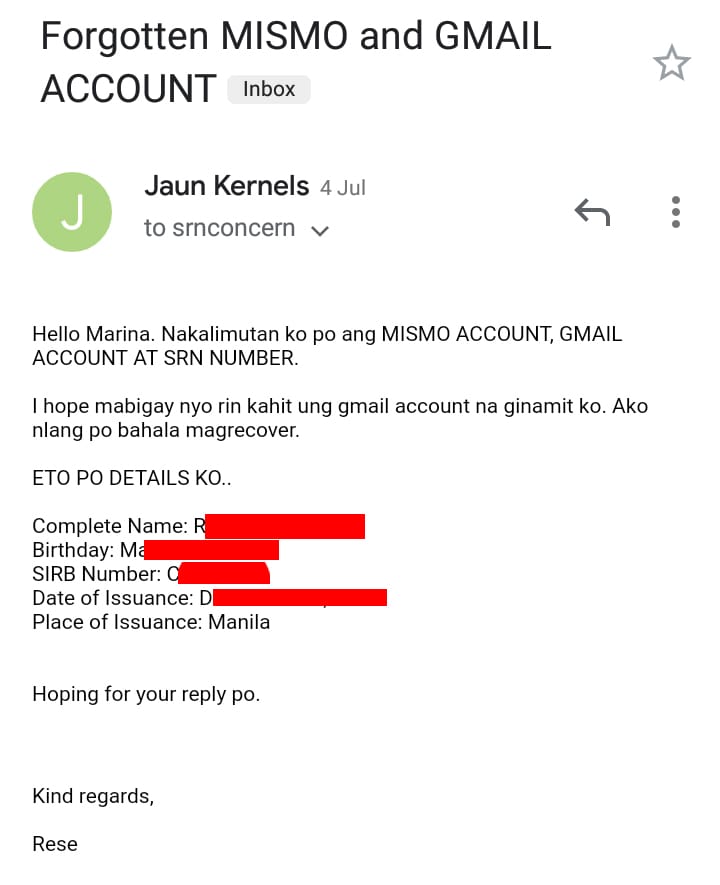
Write an email detailing which specific information you’d like to recover: email address, password, Seafarer’s Registration Number, or all of them.
Give them your name, birthday, and seaman’s book details so they can look it up in advance. Send your email to [email protected].
A simple message like the one written below is okay.
2. Selfie Verification.
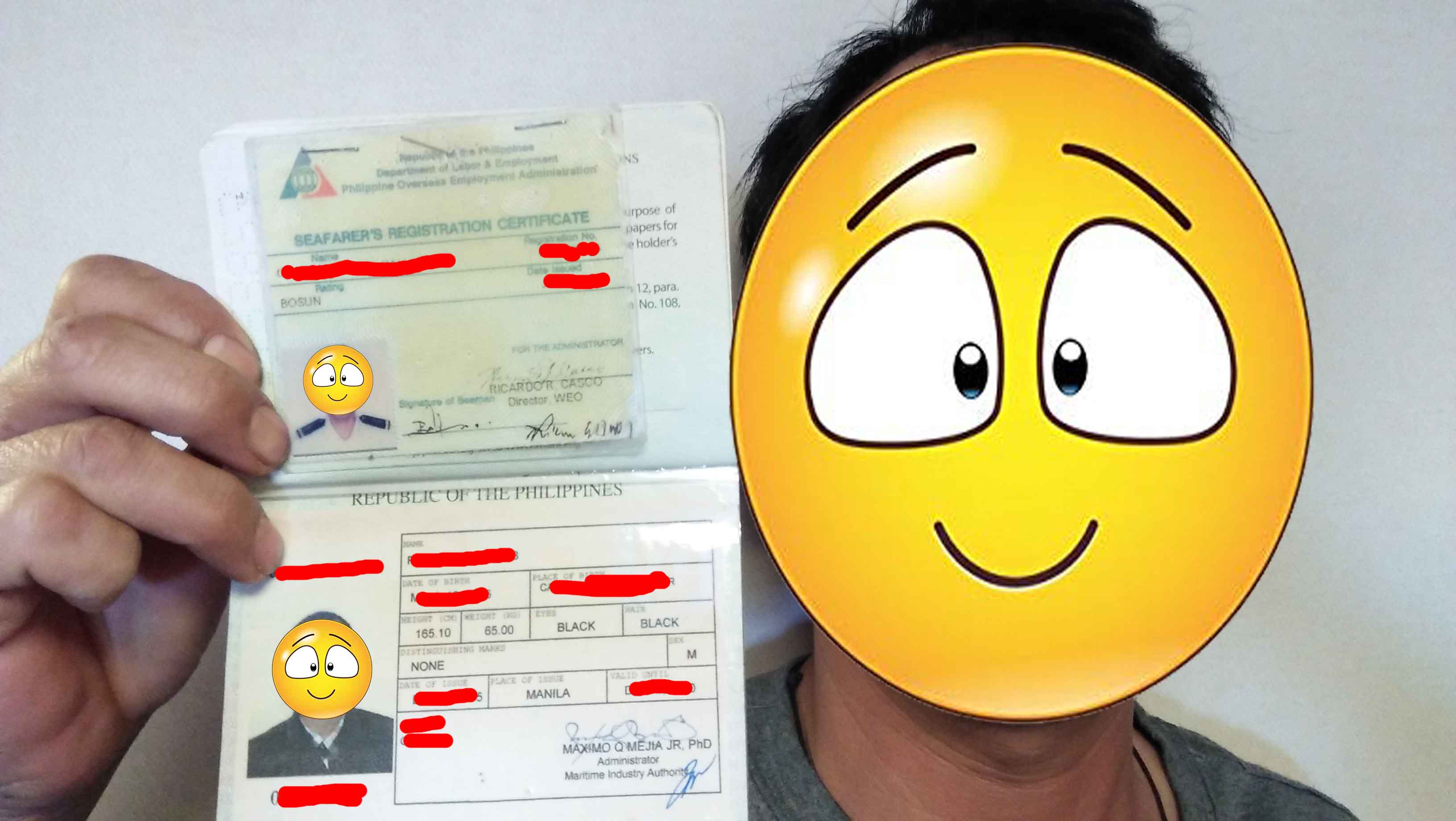
Take a photo of your Seaman’s Book with a Selfie.
MARINA will verify your identity and ask you to send them a copy of your SIRB. Only the front page with your personal information is required.
Take a selfie with you holding it so they can confirm your picture and the one in the seaman’s book that it’s you.
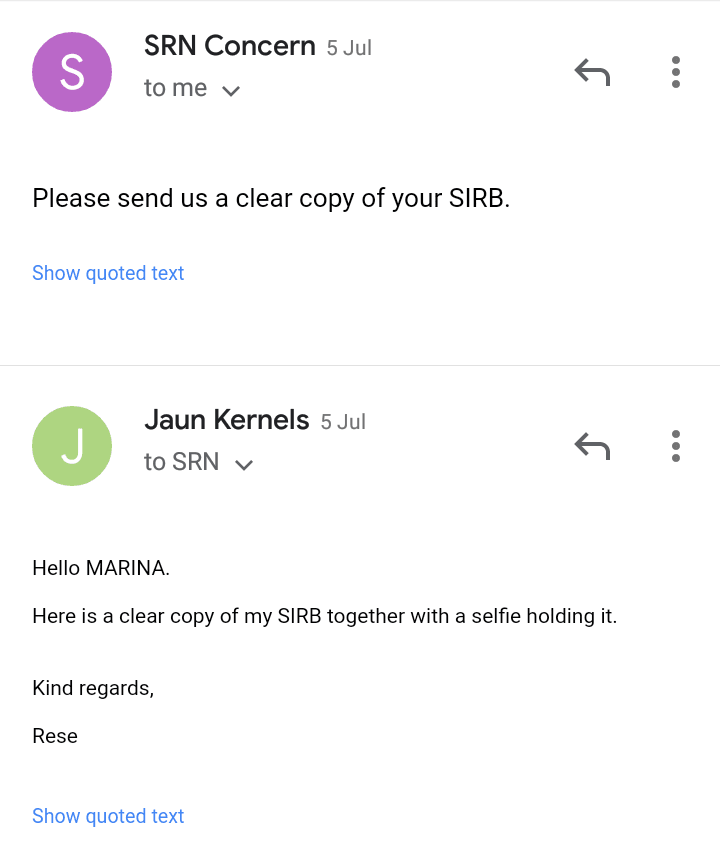
3. Send your selfie to [email protected]
Make sure that MARINA has already replied to your first message before sending your pictures. They will ask for a selfie verification in your next email.
Attach those pictures together with your response.
4. Test the login details that MARINA gave.
Once they confirm your documents, MARINA will send you your new login credentials- email address and password.
Test them by logging in to the MISMO platform.
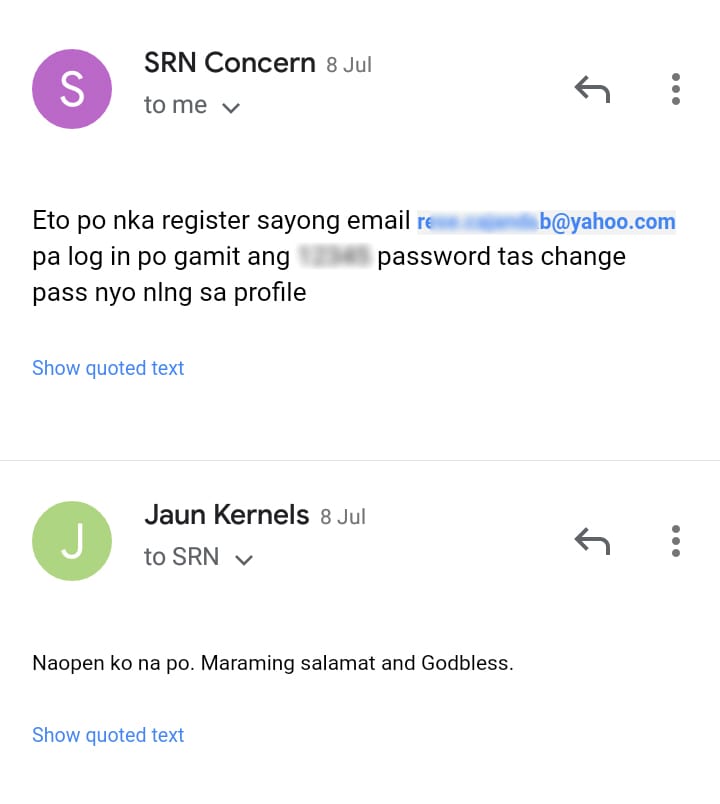
That’s it. The process, in my friend’s case, took only 4 days. You must change your password after that and take measures not to lose them again.
Lately, I’ve been asked a lot why MARINA returned their emails because they can’t handle the sheer volume of inquiries about recovering MISMO accounts.
I tried once and so far, it worked well. They even replied within 24 hours!
The MARINA Integrated Seafarer’s Management Online System is fairly easy to use.
However, it doesn’t allow you to re-create another account. You would have to do these simple steps to retrieve them.
May the winds be in your favor


Leave a Reply