

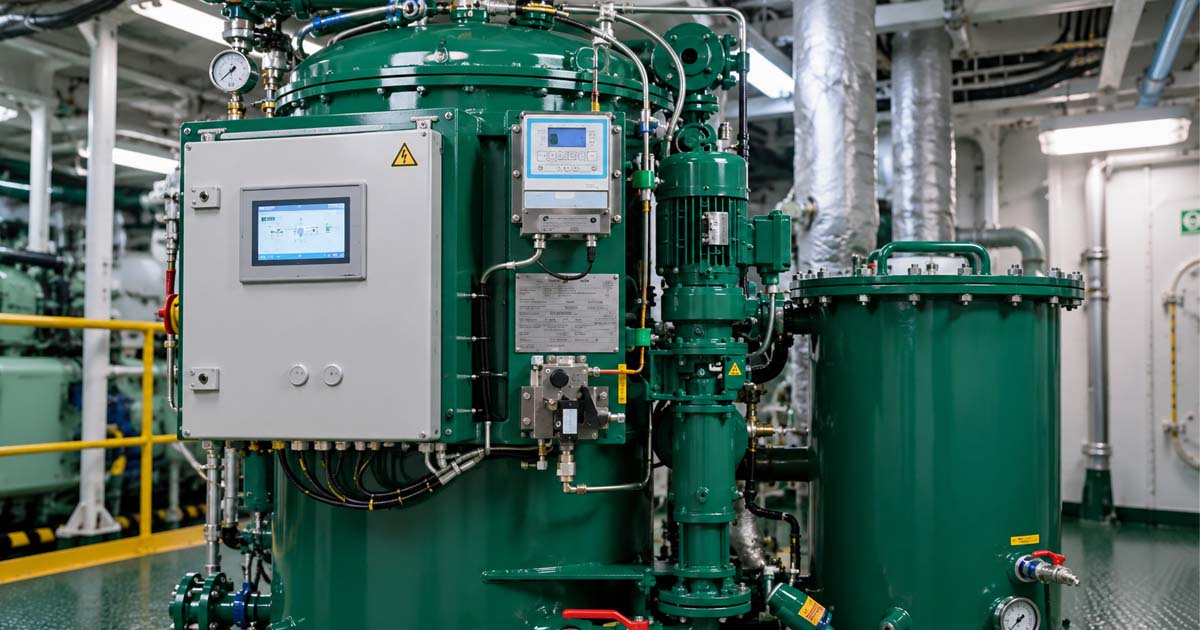
It is 0300, your OWS 15 ppm alarm has tripped for the third time this watch, and the discharge water looks clear through the sight glass. Before you condemn the monitor or start looking for a way around it, remember one important principle:
Troubleshoot the sample before you blame the monitor.
The 15 ppm bilge alarm measures the characteristics of the sample reaching its measurement cell. Air bubbles, emulsified oil, suspended material, fouling, and unstable sample flow can affect the indicated reading.
A clean-looking discharge does not prove that the sample contains less than 15 ppm oil. The monitor is measuring the sample presented to it, not what the human eye sees.
⚓ Why Does an OWS 15 ppm Alarm Trip When the Water Looks Clean?
Visual appearance is a poor way to judge oil concentration at the 15 ppm level.
Many 15 ppm monitors use an optical measurement principle, although the exact detection technology varies by manufacturer. Depending on the design, the instrument may respond to light scattering, absorption, fluorescence, or other optical characteristics of the sample.
This creates an important troubleshooting point: substances other than free oil can influence the measurement.
Note: Fine emulsified oil droplets, air bubbles, suspended solids, deposits on optical surfaces, and other contaminants may interfere with the measurement signal.
That is why the sample path should be investigated before assuming that the monitor electronics have failed.
The Sample-First Rule
Work from the sampling point toward the monitor:
Representative sample → clean sample line → steady flow → clean measurement cell → monitor
Check the simple causes first. A loose fitting or fouled sample cell can create a problem that looks like a sophisticated electronic failure.
🧭 Step-by-Step OWS False Alarm Troubleshooting
When the 15 ppm alarm repeatedly activates, troubleshoot systematically rather than repeatedly resetting the alarm.
1. Confirm the Reading and Trend
Where permitted by the vessel’s procedures, operate the OWS on the appropriate recirculation arrangement and observe the monitor.
A stable high reading may point toward genuine oil/emulsion in the sample or contamination of the measurement cell.
A rapidly fluctuating or spiking reading should prompt an investigation of air ingress, unstable flow, or other sampling problems.
💡 Pro Tip: Record the indicated values where appropriate. Trends can be more useful than a simple “alarm/no alarm” observation.
2. Check Sample Flow
Verify that sample flow is steady and within the manufacturer’s specified range.
Inspect the:
- Sample pump
- Strainer
- Flow indicator or rotameter
- Associated valves
- Tubing and fittings
Low or unstable flow can affect the sample reaching the measurement cell and may produce a specific flow-related fault.
3. Check for Air Ingress
Air entering the sample line is a common cause of unstable optical readings.
Inspect pump seals, compression fittings, O-rings, hoses, and other connections for possible air leakage.
Also consider the sample pickup arrangement. A poorly positioned sampling point or turbulent source can introduce air into the sample.
If the monitor reading repeatedly jumps up and down, air ingress should be one of the early checks.
💡 Pro Tip: Do not loosen or open pressurized components simply to “listen for air.” Follow the vessel’s safe isolation and maintenance procedures and the OEM instructions.
4. Inspect the Measurement Cell
The sample cell is exposed to the water being measured and can accumulate contamination over time.
Possible deposits include:
- Oil residue
- Detergent residue
- Sludge
- Rust particles
- Scale
- Biofilm or other deposits
A contaminated optical surface can alter the measurement and produce an unexpectedly high or unstable reading.
Clean the cell only according to the manufacturer’s procedure. Do not use abrasive materials, aggressive solvents, or improvised cleaning methods that could damage the optical surfaces.
🧼 Detergents and Emulsified Oil
Chemical contamination deserves particular attention after engine-room cleaning or tank-cleaning activities.
Detergents and degreasers can break oil into very fine droplets and create stable oil-water emulsions. The OWS may then have difficulty separating the oil effectively.
The resulting water can appear visually clean while still producing an elevated ppm reading.
If the alarm begins after recent chemical use, investigate:
- What cleaning chemical was used
- Where it entered the bilge system
- Whether it is suitable for use with the OWS
- Whether it was used at the manufacturer’s or supplier’s recommended concentration
- Whether the bilge water has been given appropriate time to settle
Do not assume that running the separator longer will solve a chemical-emulsion problem.
📊 Quick OWS 15 ppm Troubleshooting Guide
| Symptom | Likely area to investigate | First check |
| Spiking or rapidly changing reading | Air ingress or unstable flow | Sample fittings, pump and flow |
| Stable high reading | Oil/emulsion or fouled cell | Inspect cell and sample |
| High reading after cleaning | Detergent/emulsified oil | Review recent chemical use |
| Gradual upward drift | Fouling or deposits | Inspect and clean cell |
| Low-flow alarm | Restriction or pump problem | Strainer, pump and flow indicator |
| Alarm returns after reset | Underlying fault remains | Complete systematic troubleshooting |
🧪 Functional Testing of the 15 ppm Alarm
A functional test should verify the approved monitoring and automatic stopping arrangement, not merely confirm that an alarm lamp illuminates.
Use only the manufacturer’s specified test procedure, test medium, and equipment.
Depending on the approved system and OEM procedure, verify that:
- The test sample reaches the measurement cell correctly.
- The monitor responds as expected.
- The alarm activates at the specified condition.
- The automatic stopping arrangement operates.
- The discharge is prevented or diverted according to the approved arrangement.
- Relevant test results and maintenance actions are recorded as required.
The IMO guidelines [MEPC.107(49)] for 15 ppm bilge alarms specify performance requirements for the alarm, including a maximum five-second response time for the ppm display to respond correctly to a change in the supplied sample.
The applicable approved equipment arrangement and manufacturer’s instructions should always be followed.
A useful full-loop check therefore goes beyond the monitor display. The crew should establish that the alarm, control logic, automatic stopping arrangement, and associated flow diversion operate correctly.
📏 Calibration and Maintenance
Routine cleaning and functional testing are not substitutes for the required calibration check.
Under the applicable IMO guidelines, the accuracy of the 15 ppm bilge alarm is to be checked by the manufacturer or a manufacturer-authorized person at intervals not exceeding five years after commissioning, or at a shorter interval where specified by the manufacturer.
The calibration documentation should be retained onboard as required.
For routine maintenance, follow the OEM manual and vessel SMS ensuring the Second Engineer logs all inspections, cell cleanings, and sensor tests.
Record relevant cleaning, faults, testing, calibration and corrective actions through the vessel’s established maintenance and documentation systems.
⚖️ MARPOL Compliance: What You Must Not Do
The 15 ppm bilge alarm and automatic stopping arrangement are important parts of the approved oily-water filtering equipment that are recognized as critical equipment on board under the vessel’s SMS.
MARPOL Annex I contains the requirements governing machinery-space bilge discharges and oil filtering equipment. Do not bypass, isolate, jumper, or otherwise defeat the 15 ppm alarm or automatic stopping arrangement to continue an overboard discharge.
If the alarm activates:
Stop or prevent the discharge as required → investigate the cause → correct the fault → test the system → resume operation only when permitted by the applicable procedures and requirements.
If the equipment becomes defective, follow the vessel’s SMS, manufacturer’s instructions, flag-State requirements, and applicable port or coastal-State requirements.
📋 What About the Oil Record Book?
Do not try to make the paperwork “look clean” after an OWS problem.
MARPOL Annex I requires applicable machinery-space operations to be recorded in Oil Record Book Part I, including relevant operations involving machinery-space bilges and oil filtering equipment.
Record the applicable operation, alarm or malfunction, and corrective action in accordance with the required format and your vessel’s procedures.
The important principle is consistency:
What happened to the OWS, what the monitor showed, what the crew did, and what was recorded should tell the same story.
❓ Frequently Asked Questions
Why does my OWS 15 ppm alarm trip when the water looks clean?
The monitor measures the sample reaching its measurement cell. Emulsified oil, air bubbles, suspended material, fouling, and unstable sample conditions can affect the reading even when the water looks clear.
Can air bubbles cause a false high 15 ppm reading?
Yes. Air bubbles can interfere with an optical measurement and may produce unstable or elevated readings. Check the sample pump, fittings, seals, O-rings and sampling arrangement.
Can detergent cause the OWS to alarm?
Yes. Detergents and degreasers can create stable oil-water emulsions and may also contaminate the measurement cell. Investigate recent chemical use when an alarm begins after cleaning operations.
Can I bypass the 15 ppm monitor for troubleshooting?
Do not bypass the alarm or automatic stopping arrangement to permit an unauthorized overboard discharge. Follow the vessel’s approved procedures for troubleshooting and testing, including any permitted recirculation arrangements.
🛠️ Final Operational Takeaway
When an OWS 15 ppm alarm keeps tripping, do not immediately blame the monitor.
Check the sample first.
Investigate air ingress, sample flow, detergents and emulsified oil, fouling, suspended material, and the measurement cell before escalating to an electronic fault.
A systematic approach is safer and usually faster than repeatedly resetting the alarm. Keep the monitor maintained, test the complete approved safety function, retain required calibration documentation, and never defeat the automatic stopping arrangement simply to complete a discharge.
The best troubleshooting question is not:
“Why is the monitor lying?”
It is:
“What is actually reaching the measurement cell?”
May the winds be in your favor.
Leave a Reply