


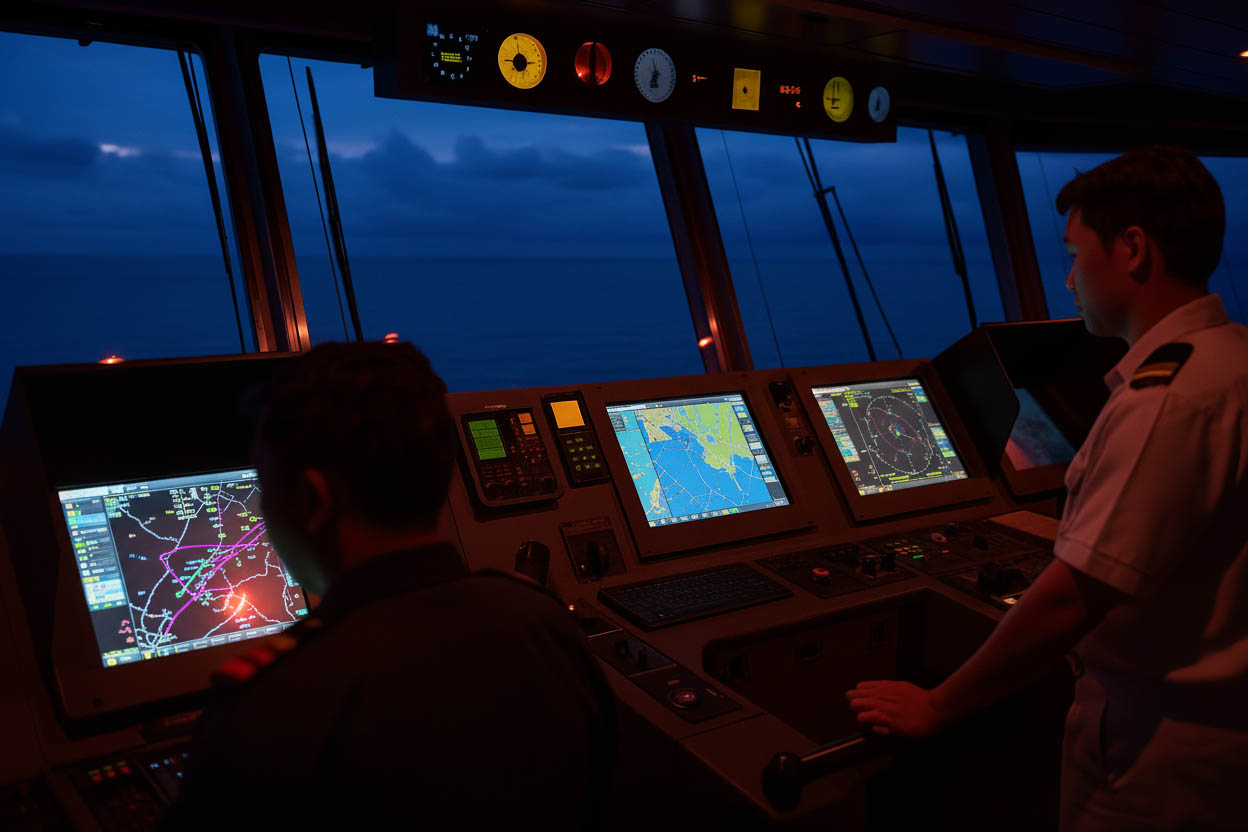
The Electronic Chart Display and Information System (ECDIS) has become the backbone of modern navigation.
Yet, despite its reliability, no system is immune to failure.
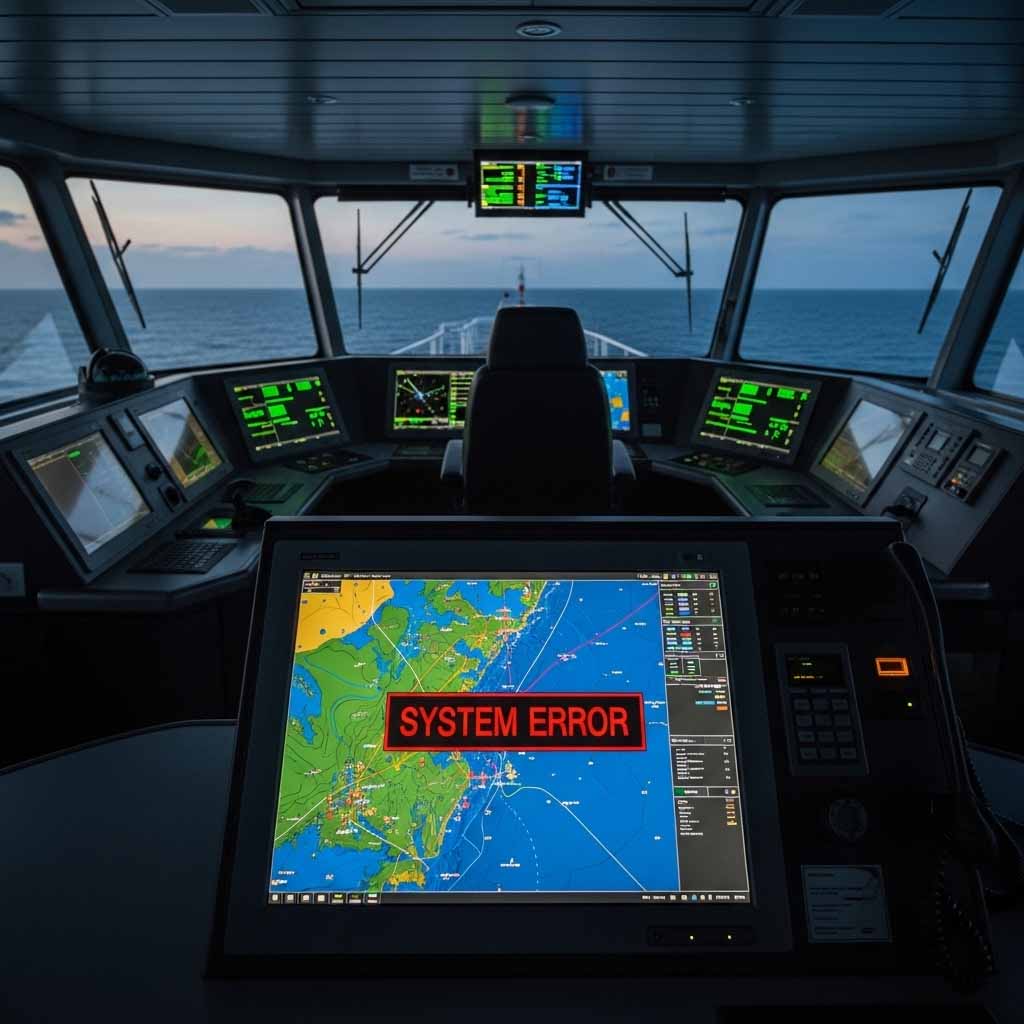
Imagine approaching a congested traffic separation scheme, and suddenly, your ECDIS screen goes black.
In that moment, your ability to respond quickly determines whether the situation remains a minor inconvenience or escalates into a navigational emergency.
This guide provides mariners with a structured playbook for handling ECDIS failures- from the first two minutes of crisis response to compliance with international regulations.
It blends practical seamanship with SOLAS and IMO requirements, ensuring you know exactly what to do when technology falters.
Quick Action Checklist: First 0–2 Minutes ⚠️🕑
Your first actions are the most critical when an ECDIS. Do not panic or spend time on immediate troubleshooting.
The priority is to secure the safety of the vessel.
Immediate priorities: steer, slow, look, call Master
When ECDIS fails, conning control and situational awareness take precedence. The OOW must:
- Steer: Switch to hand steering and steady the present course to prevent a deviation.
- Slow: Reduce speed to a safe level, or stop the vessel if necessary, especially in confined or congested waters.
- Look: Post an additional lookout to maintain a constant visual watch.
- Call Master: Immediately inform the Master of the situation.
These actions stabilize the ship before corrective navigation begins.
Rapid nav fixes: radar bearings, visual marks, DR
With ECDIS offline, re-establish the ship’s position using traditional means:
- Take compass bearings of fixed objects and cross them on the chart (paper or backup).
- Use radar range and bearing to land or buoys for parallel indexing.
- Begin dead reckoning (DR) plotting at once to ensure track continuity.
- Compare GPS receiver output with radar/visual fixes to confirm reliability.
This provides an immediate safety net while redundancy is established.
Team coordination: assign helmsman, lookout, logkeeper
Bridge Resource Management (BRM) becomes critical in the first minutes:
- Assign a dedicated helmsman to maintain course manually.
- Post an extra lookout if conditions warrant.
- Designate a crew member to act as logkeeper, noting times, positions, and actions.
- The OOW focuses on navigation and traffic assessment, while the Master manages overall strategy.
Clear delegation ensures the bridge team functions as a coordinated unit under stress.
Understanding ECDIS Failure: Causes and Immediate Actions 🧭
The response to an ECDIS failure depends on its nature. It is crucial to understand the different failure modes to apply the correct mitigation measures.
The following outlines the key failure types.
The moment of failure: officer’s initial response
ECDIS failure rarely gives early warning. One moment the chart is live, the next it may freeze, display errors, or go dark.
The OOW’s first response must be to maintain control, confirm own ship’s safety, and verify position by alternate means.
Panic or hesitation in these first seconds is the greatest risk.
Distinguishing between failure types
Hardware/software failures (blackout, frozen screen)
A sudden blackout could indicate hardware malfunction, power loss, or internal system crash.
Equally dangerous is a frozen display, where the chart looks normal but is no longer updating. A frozen screen is deceptive – the ship continues moving while the display stays static.
GNSS/sensor input errors (wrong heading, wrong position)
An ECDIS may remain operational but receive incorrect data from sensors such as GPS, gyro compass, or speed log.
This can lead to position jumps, off-track alarms, or false safety contours. Cross-checking with radar or visual bearings is essential to detect such discrepancies.
ENC data corruption or alarm/RIO (Radar Image Overlay) failures
Failures aren’t always total. Sometimes Electronic Navigational Charts (ENCs) fail to load or alarms stop functioning.
The chart may look normal, but the safety integrity of the system is compromised.
Power/UPS failures
ECDIS depends on continuous power supply.
If the Uninterruptible Power Supply (UPS) fails, even brief blackouts can cause a restart, leaving the ship temporarily blind.
UPS alarms must be tested and maintained to reduce this risk.
The Regulatory Mandate: Why Redundancy Is Not Optional 📑
The use of ECDIS to meet the chart carriage requirements of the SOLAS Convention is not a matter of choice; it comes with a strict regulatory obligation for redundancy and back-up.
SOLAS Chapter V and IMO Performance Standards MSC.530(106)
International Maritime Organization (IMO) regulations are clear: ships required to carry ECDIS must also maintain an adequate, independent backup arrangement.
SOLAS Chapter V, Regulation 19, defines the performance standards for ECDIS, while the recent IMO Resolution MSC.530(106) sets operational requirements and reinforced mandatory training and failure response expectations.
Adequate backup arrangements: second ECDIS vs paper folio
Compliance usually means either:
- A dual-ECDIS setup, with two independent units connected to separate sensors and power supplies.
- A fully updated paper chart folio, covering the intended voyage, as the recognized alternative.
The backup must be ready for immediate use – not locked, outdated, or stored away.
The role of the Safety Management System (SMS): company procedures, drills, contingency plans
Every company’s SMS should include:
- Documented ECDIS failure procedures, aligned with SOLAS and IMO guidance.
- Periodic drills, where officers practice fallback navigation.
- Clear reporting lines for logging the failure, informing the company, and initiating repairs.
The SMS ensures ECDIS failures are managed consistently, reducing reliance on ad-hoc decision-making.
Navigational Scenarios: Step-by-Step Contingency Procedures ⛴️
ECDIS failures don’t always look the same. The response depends on whether one unit is down, both are lost, or the ship is under pilotage.
Below are three realistic scenarios with seamanship-based responses.
Scenario 1: Single ECDIS unit failure
Most modern ships carry dual-ECDIS to comply with SOLAS requirements.
When one unit fails:
- Switch to the backup unit without delay, ensuring the voyage plan and ENC coverage are available.
- Confirm sensor inputs/settings on the remaining system – check gyro, log, and GNSS data sources.
- Notify the Master and company so that troubleshooting and repair can begin promptly.
- Record the failure in the logbook and defect list, noting time, nature of fault, and corrective actions.
Even with redundancy, the event should be treated seriously. A second failure leaves the ship reliant on paper navigation.
Scenario 2: Total ECDIS failure (both units)
This is the most critical case. When both ECDIS are unavailable:
- Shift to paper charts immediately. If a full folio is not carried, use at least the mandatory “Get Me Home” charts covering restricted waters, approaches, and the nearest safe port.
- Emphasize conventional navigation skills:
- Plot fixes at frequent intervals (every 3–6 minutes in confined waters).
- Use radar ranges, visual bearings, parallel indexing, and dead reckoning.
- Cross-check with GPS readouts but treat them cautiously if sensor error is suspected.
- Consider slowing down or stopping if in high-density traffic or restricted waters. Safety always outweighs schedule pressure.
- Ensure a navigational watch reinforcement: an extra officer on the bridge, Master present, and lookout posted.
Scenario 3: Failure during pilotage
ECDIS failure during pilotage introduces unique risks:
- Prioritize Bridge Resource Management (BRM) – all orders, fixes, and observations must be openly communicated.
- Close communication with the pilot is essential. The pilot may rely on a Portable Pilot Unit (PPU) or personal tablet for situational awareness.
- Radar and visual navigation become the primary tools. Bearings to buoys, leading lines, and parallel indexing on radar ensure track-keeping.
- The Master must decide whether to continue under pilot advice or request tug assistance, depending on traffic and conditions.
Minute-by-Minute Seamanship Playbook (Human-Centered) ⌛
Rather than vague “use paper charts” advice, mariners benefit from a time-sequenced contingency playbook.
0–2 minutes: immediate situational awareness
- This is the period of the “Quick Action Checklist.”
- Take the con, confirm hand steering.
- Reduce speed or prepare for maneuvering.
- Establish visual lookout and radar reference points.
- Call the Master and inform engine room of potential maneuvering needs.
2–10 minutes: establish redundancy, radar + DR fixes
- Establish your position and safe course once the initial threat is contained.
- Switch to backup ECDIS (if available) or shift to paper charts.
- Plot DR and obtain radar/visual fixes.
- Assign one officer to continuous position monitoring.
- Begin log entries for every fix and corrective measure taken.
10–60 minutes: adapt voyage plan, confirm SMS notifications
- Adapt the voyage plan after a clear understanding of the situation.
- Reconstruct voyage plan on backup medium (ECDIS B, paper, or radar track).
- If approaching a critical area (strait, pilotage), consider delaying entry until navigation is stabilized.
- Notify the Designated Person Ashore (DPA) or company as required by SMS.
- Prepare a written report for flag/class if the failure affects safety.
After: log entry, defect reporting, repair scheduling
- Immediate crisis has passed
- Log the full sequence of events in the deck logbook and the ECDIS defect log.
- File a Non-Conformity or Near Miss report as required by SMS.
- Notify classification society or flag if the defect persists.
- Schedule repair or replacement with the manufacturer/service agent.
Bridge Resource Management and Team Roles 👥
ECDIS failure is a team problem.
Effective BRM and clear role delegation are essential to prevent a minor technical issue from escalating into a serious marine incident.
OOW: verify position, coordinate team
The OOW takes primary responsibility for maintaining situational awareness, plotting fixes, and coordinating bridge tasks. Communication must be concise and closed-loop.
Master: decide on speed/course adjustments, contingency approval
The Master assesses risk, decides whether to slow down, anchor, or request tug assistance, and authorizes deviation from the voyage plan if needed.
Lookout + helmsman: visual watch and manual steering
- The helmsman maintains course by compass under direct conning orders.
- The lookout provides continuous updates on traffic, navigation marks, and weather changes.
Engine room: standby or RPM adjustment if needed
- The engine team must be ready for rapid speed changes or maneuvering.
- Any loss of automation (like autopilot) should be communicated immediately.
Pilot: coordination during restricted waters
- The pilot brings local knowledge and may rely on a PPU.
- The bridge team must not over-rely on the pilot – the OOW and Master must continue independent position monitoring.
Technical Troubleshooting and Redundancy 🔧
While a mariner’s first priority is to stabilize the vessel, a swift and methodical approach to technical troubleshooting can help restore functionality and reduce the reliance on backup systems.
Restarting ECDIS (power cycle, UPS checks)
- First, confirm whether the failure is linked to a power interruption. Check the ECDIS’ dedicated Uninterruptible Power Supply (UPS) alarms.
- Attempt a controlled shutdown and restart – this often restores frozen displays or minor software glitches.
- If the ECDIS shares power with other equipment, verify that circuit breakers and fuses are intact.
- If the restart fails, secure the unit and continue navigation using backup systems.
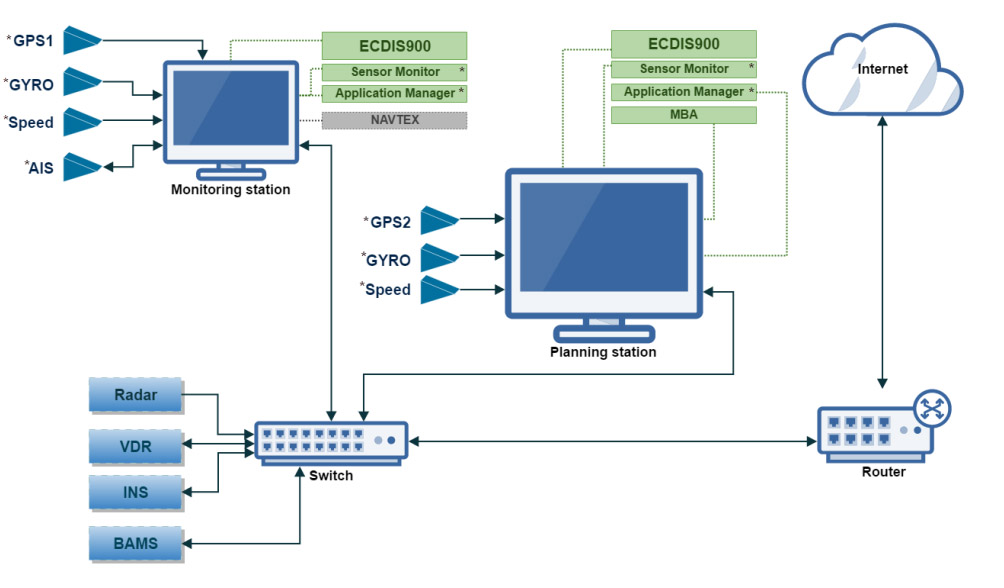
Switching GNSS and gyro inputs
ECDIS functions and performance depend heavily on its sensor inputs:
- If the position is unreliable, switch to a secondary GNSS (many ships carry dual GPS receivers).
- If the heading input is inconsistent, toggle between magnetic compass and gyro heading sources, cross-checking against radar bearings.
- Always confirm on the ECDIS input panel or settings which sensors are active – sometimes the failure is only due to a faulty data feed, not the display itself.
Using secondary hard disk or software reboot
Most modern ECDIS units carry a secondary hard drive or mirror disk. If the system does not boot properly, switching to the backup drive may solve the issue.
- A software reboot or reinstallation may also resolve ENC loading errors or corrupted files.
- These steps should be attempted only if time and situation allow – navigation safety comes first.
Beyond the Bridge: info to report
If shipboard troubleshooting fails, report to the manufacturer or service agent.
Essential details include:
- ECDIS model and serial number.
- Nature of failure (blackout, frozen, sensor input loss).
- Alarms displayed or error codes.
- Actions already attempted on board.
This helps the technician prepare parts, software patches, or remote support.
Backup alternatives: PPU, tablets, emergency laptops
While not substitutes for type-approved ECDIS, some tools provide short-term redundancy:
- Portable Pilot Units (PPUs): Often carried by pilots, they can display ENC overlays and GNSS positions.
- Tablets with ENC software: Useful as situational backups but must be checked against official sources.
- Emergency laptops with chart viewers: Many SMS procedures allow for a laptop-based contingency setup, provided charts are kept updated.
These alternatives buy time but should never replace compliance with SOLAS-approved backups.
Training, Drills, and SMS Integration 🧑🏫
Technology is only as effective as the crew using it. Regular drills and SMS integration ensure mariners are prepared for real-world failures.
Suggested ECDIS failure drill template (quarterly)
A practical quarterly drill should include:
- Simulated failure of one ECDIS unit.
- Immediate switch to paper or backup system.
- Position fixing using radar and visual bearings.
- Reporting lines: OOW to Master, Master to company.
- Debriefing: What worked, what gaps remain.
Documenting the drill in the SMS logbook proves compliance and readiness.
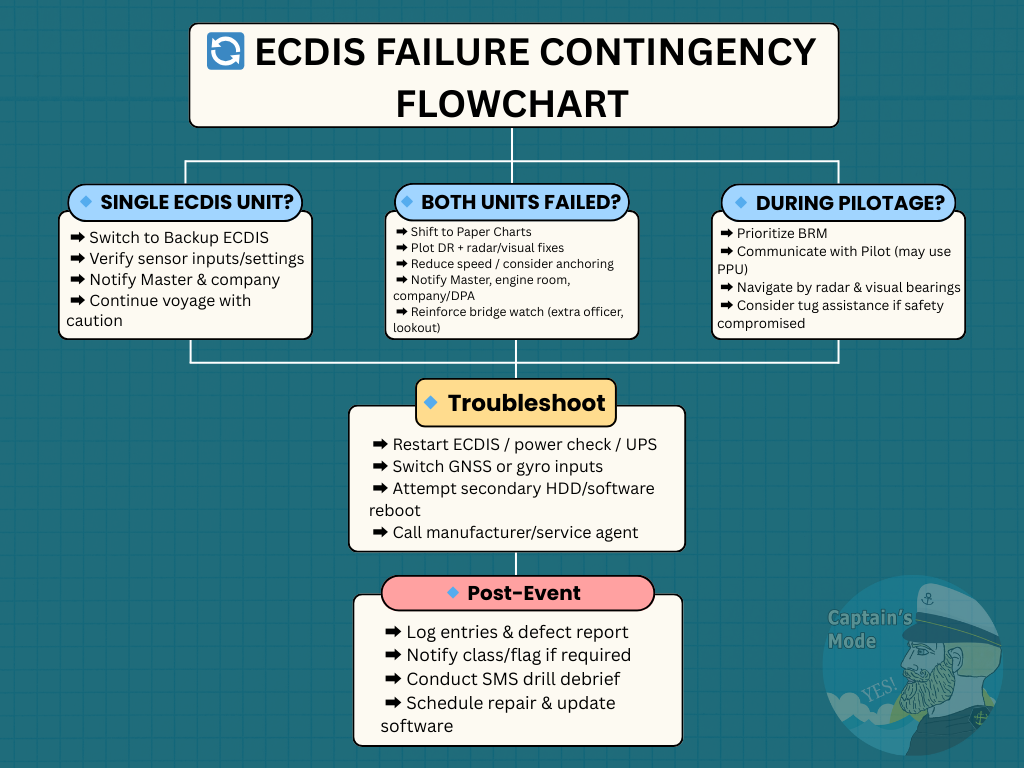
SMS integration: contingency flowcharts and procedures
The Safety Management System should include:
- A flowchart showing step-by-step ECDIS failure actions.
- Clear allocation of roles and responsibilities for bridge team members.
- Reporting templates for defect logging and flag/class notifications.
Visual aids like laminated checklists or posters on the bridge reinforce the SMS.
Real-World Case Studies and Lessons Learned ⚖️
Analyzing real-world incidents provides invaluable lessons on the human factors and procedural shortcomings that can exacerbate an ECDIS failure.
Example grounding due to alarm mismanagement (MAIB Report)
The Marine Accident Investigation Branch (MAIB) has published reports on groundings where a vessel’s ECDIS alarms were improperly managed or silenced.
In the investigation, a vessel grounded because the ECDIS alarms were disabled and no secondary position checks were made. The ship’s passage plan relied solely on the display, without radar or visual confirmation.
Lesson: ECDIS is an aid, not a replacement for active watchkeeping.
Example of GPS spoofing, jamming, and hacking impact on ECDIS track
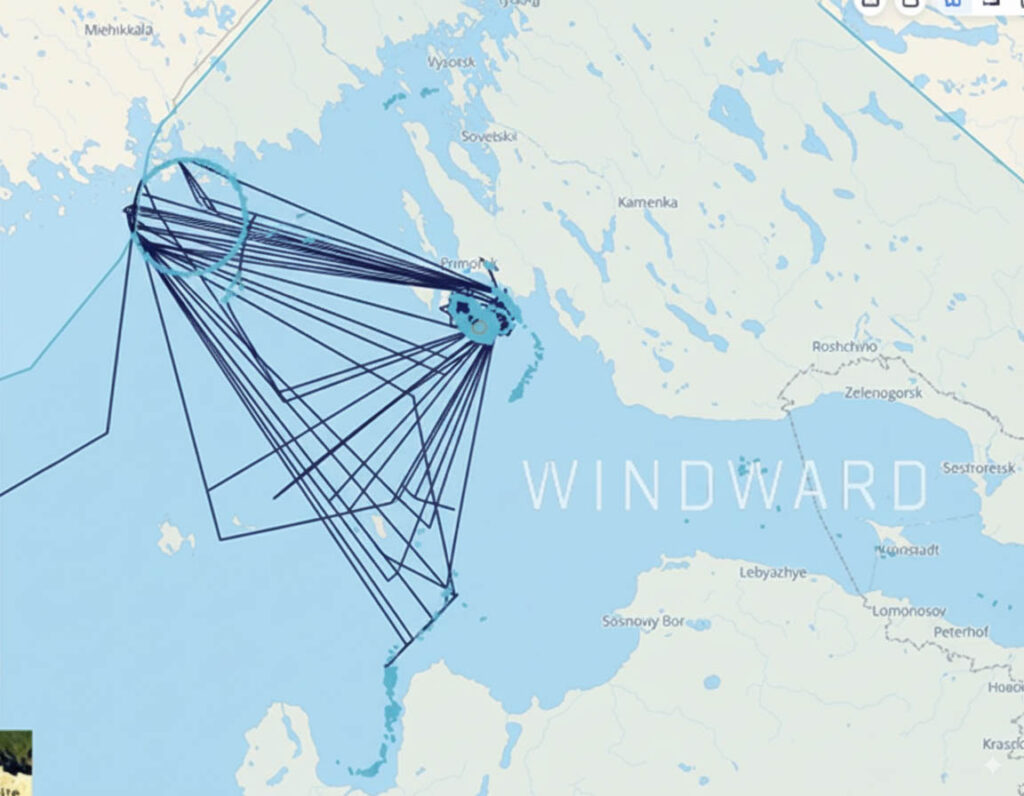
Reports of GPS spoofing, jamming, and hacking in many waterways such as the Black Sea, Baltic Sea, South Korea’s West Coast, Arabian Gulf, and many others caused multiple ships’ ECDIS units to display false positions, placing vessels miles inland.
In each case, the radar and visual observations contradicted the ECDIS track.
Lesson: Always cross-check GNSS with radar and visual navigation, especially in areas prone to signal interference.
FREQUENTLY ANSWERED QUESTIONS (FAQ)❓
Can a vessel sail with a broken ECDIS?
No. If the vessel is required by SOLAS to carry ECDIS, it must also carry an adequate, independent backup. Sailing with both ECDIS units out of order is only permitted if a complete paper chart folio is available and approved by the flag state.
What is the minimum backup required by SOLAS?
SOLAS Chapter V requires an “adequate, independent back-up arrangement” for an ECDIS. This can be a second, fully type-approved ECDIS unit or a complete folio of official paper charts for the intended voyage.
Are tablets acceptable as ECDIS backup?
No. Unofficial systems like tablets, emergency laptops, and Portable Pilot Units (PPUs) are not type-approved to be used as a primary or legal backup for navigation. They may be used for situational awareness only, provided the Master deems it safe.
What drills are required for ECDIS failure?
The vessel’s Safety Management System (SMS) should include regular drills for ECDIS failure, ideally on a quarterly basis. These drills should test the crew’s ability to respond to various scenarios and to transition to a conventional navigation system.
Is ECDIS training mandatory for officers?
Yes. The STCW Convention requires all navigating officers on ECDIS-equipped vessels to have completed both a generic ECDIS course and a type-specific training on the model of ECDIS installed on board.
Conclusion: The Human Element ⚓
Technology may evolve, but the principles of seamanship remain unchanged. ECDIS is only as reliable as the mariner behind it.
When ECDIS fails, it is not the system that saves the ship – it is the officer who knows how to:
- Maintain calm and act within the first minutes.
- Revert to paper, radar, and visual navigation confidently.
- Lead the bridge team with clarity under pressure.
Regular training, drills, and SMS integration keep those skills alive. By treating ECDIS as an aid, not a replacement, mariners ensure safe navigation even in the digital era.
📥 Call to Action: Download our printable ECDIS failure checklist and contingency flowchart to reinforce your onboard drills.
Share your own experiences in the comments below – your lessons could save another mariner.
May the winds be in your favor.
Sources:
- IMO. (n.d.). MSC.1/Circ.1503/Rev.1: ECDIS – Guidance for Good Practice.
- West of England P&I Club. (2011). SOLAS: Mandatory Requirements for ECDIS and BNWAS.
- Bahamas Maritime Authority. (2024). Electronic Chart Display and Information System (ECDIS) Training Requirements.
- IMO. (n.d.). International Convention on Standards of Training, Certification and Watchkeeping for Seafarers (STCW).
- IHO. (2023). HSSC15-05.2D: Cyber Security Guideline for ECDIS and ENC Data.
- ClassNK. (2009). Guidance for ECDIS Installation.
Leave a Reply